
What a Duval County Court Docket Is
A docket is the court's running log of a case. Each row is one event. The clerk timestamps it. The judge or staff add it after a filing, ruling, or hearing. In Florida the docket sits inside the official case file kept by the Duval Clerk of the Circuit and County Courts. The docket is short by design. The detail lives in the linked document. Reading the docket gives a quick read of where the case stands.
Each Duval docket entry shows a date, an event type, and a short label. Common labels are Complaint Filed, Summons Issued, Motion to Dismiss, Order Granting, Notice of Hearing, Plea Entered, Sentence, and Final Judgment. Some entries link to a published PDF. Others mark a hearing slot or a financial event. The mix shifts by case type. A criminal docket lists charges, bond changes, plea, and sentence. A civil docket lists pleadings, discovery, motions, and judgment. A probate docket lists the will, letters, claims, and inventory.
Note: A docket entry is a record of an event, not the event itself. The PDF behind the entry holds the legal text.
Docket vs Full Case File
People often use docket and case file as if they mean the same thing. They do not. The docket is the index. The case file is the whole stack. Reading only the docket is fast. Reading the file means opening each linked PDF. Both live in CORE, the Clerk's online resource. Most users start with the docket and pull only the documents they need.
| Court Docket | Full Case File |
|---|---|
| Short log of dated events | Every filing, exhibit, and order |
| Free to scan in CORE for most case types | Some documents need Clerk review before release |
| Shows status, judge, and next hearing | Holds full text of pleadings and rulings |
| Updates as soon as Clerk records the event | May lag while documents are scanned or redacted |
| Useful for tracking case progress | Useful for legal analysis or appeal |
For a deeper look at the broader record set, see the court records page. The public records page covers requests that go past the docket.
How to Search Duval County Court Dockets
The Clerk runs Duval docket access through CORE. The portal sits at core.duvalclerk.com. Public access is free. A free account unlocks document review requests for items not yet posted. A case number gives the cleanest hit. A name plus filing year works when the case number is unknown. The Online Viewing of Court Records page sets the access rules before you open CORE.
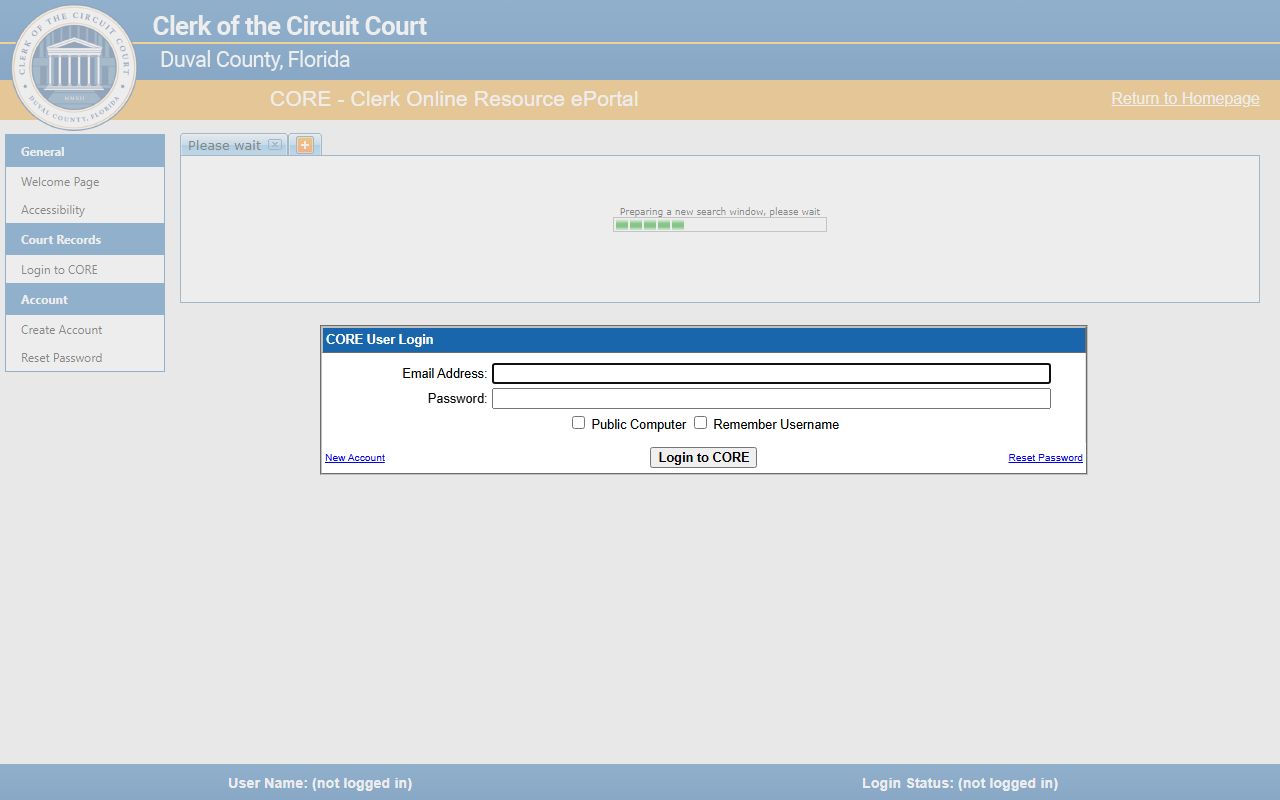
The official portal screenshot below shows the CORE login shell. The login window leads to the case search panes, which load inside the main shell once the user accepts the agreements.
An overview of the CORE entry screen is on the Clerk Online Resource ePortal.
The portal also handles document requests, eCertified copies, and tab-based searches across civil, criminal, family, and probate cases.
- Open CORE and clear any captcha shown on the entry page.
- Sign in with a free CORE account or pick the public access path.
- Choose the search window for the case type you need.
- Type a case number when you know it, or use party name plus filing year.
- Filter by division, judge, or filing range when the list is long.
- Open the case page to view the docket in date order.
- Click any docket row to load the linked PDF or to submit a review request.
- Save the case for return visits, or order an eCertified copy through CORE.
Note: Public access does not allow document review requests; sign in with a free registered account to ask the Clerk to publish a new document.
Sample Duval Docket Entry Fields
Each docket row on a Duval case page shares a core set of fields. Field labels shift a little by case type. Family and probate cases hide more by default under the state court access matrix. The table below maps a typical row to what it shows the reader.
| Field | What It Shows |
|---|---|
| Entry Number | Sequence of the event in the case timeline. |
| Filing Date | Date the Clerk recorded the event. |
| Event Type | Filing, motion, order, notice, hearing, plea, sentence, or financial event. |
| Short Description | Label such as Complaint, Answer, Motion to Dismiss, Order Granting, Final Judgment. |
| Filed By | Party or attorney who submitted the document. |
| Document Link | PDF link when published; review request button when not. |
| Hearing Date | Date and time when the entry is a hearing or trial setting. |
| Courtroom | Hearing room number assigned by court administration. |
| Judge | Assigned division judge for the event. |
| Financial Tag | Fees, costs, restitution, bond, or registry deposit posted to the case. |
| Redaction Flag | Marks a row where SSN, bank, or card data has been masked. |
Some criminal dockets also show a capias or warrant status row. That row may flag an active warrant for failure to appear. See the warrant records page for follow-up.
Duval Court Dockets by Case Type
Duval Clerk dockets follow the case type. Each type has its own filing flow and access rules. Civil and criminal dockets read in date order. Family and probate dockets show more limited public detail. Below are the main groups handled by the Fourth Judicial Circuit and the Duval County Court.
- Circuit civil dockets. Foreclosure, complex civil, injunctions, malpractice, contract, and business disputes filed in Circuit Court.
- County civil and small claims dockets. Eviction, replevin, and lower-dollar claims filed in County Court.
- Felony dockets. Charge, plea, motions, and sentence entries for circuit criminal cases.
- Misdemeanor dockets. County criminal entries for charges below felony level.
- Family dockets. Divorce, paternity, support, name change, and injunction entries with restricted online view.
- Probate and guardianship dockets. Will deposit, letters, claims, inventory, and accounting events.
- Traffic dockets. Civil traffic and criminal traffic entries. See traffic court records for citation lookups.
Juvenile delinquency and dependency dockets do not appear in the ordinary CORE public view under Fla. Stat. § 985.04.
Hearing Calendars and Division Judges
A hearing entry on the docket is also a slot on a judge's calendar. The Fourth Judicial Circuit publishes its judge list and division phones through Jud4. Each division has a code such as CV for circuit civil, FM for family, PR for probate, or a single letter for felony divisions. The code helps you read the docket and place the case on the right calendar.
Duval circuit civil divisions run from CV-A through CV-H. Probate sits in PR-A and PR-B. Family runs from FM-B through FM-E. Felony divisions use letter codes from F through Q. Court administration sets the courtroom for each hearing and posts it through the docket entry. Court hours run 8:30 a.m. to 5:00 p.m. on weekdays, excluding state holidays.
Division code quick reference.
CV: Circuit civil division.
PR: Probate and guardianship division.
FM: Family division, divorce and paternity.
F through Q: Felony circuit divisions.
MM: Misdemeanor county criminal.
CT/UTC: Traffic citation references.
Note: Hearing dates shift often; check the docket the day before a setting to catch any continuance or reset.
Public Access Rules for Court Dockets
Florida runs a broad public records law. Chapter 119 sets the open inspection rule for state and local agencies. Court files are open under Florida Rule 2.420, the rule of general practice for judicial branch records. The Florida Supreme Court access matrix narrows online viewing for some case types. The Duval Clerk applies all three layers in CORE.
The state policy that public records are open sits in Fla. Stat. § 119.01. The inspection and copying rule sits in Fla. Stat. § 119.07. The court file privacy rule sits in Fla. Stat. § 119.0714. Adoption files are confidential under Fla. Stat. § 63.162. Mental health clinical records carry their own rule under Fla. Stat. § 394.4615. These rules apply to docket entries and the documents linked from them.
Public users get free non-confidential viewing. Registered users can request review of unpublished documents. Parties and attorneys of record see more under the matrix. The Clerk redacts SSN, bank, and card data on every docket. The Public Information desk at the Clerk handles requests that reach past the docket. The desk email is Public.Info@duvalclerk.com.
Copies, eCertify, and Older Duval Dockets
An eCertified docket entry or document is ordered through CORE. The email link works for 30 days. The certified PDF carries a digital seal that can be checked by QR code. The cost is the statutory certification fee plus a small vendor processing fee. Paper certified copies come from the Clerk's Official Records and Research Department in Room 1253 at 501 West Adams Street.
Older Duval dockets may predate the online portal. For these, the Clerk asks for the case number, party names, and date of birth or filing year. Microfilm and archive books cover the oldest material. Probate archive books reach cases opened before 1977. Records before 1988 may need help from research staff. Mail requests should include return information so the Clerk can send copies back.
Note: Sealed and expunged cases under Fla. Stat. § 943.0585 do not appear in the public docket view; eligibility is reviewed by FDLE before the order is filed.
Quick Questions on Duval Court Dockets
Is CORE the only place to read a Duval docket?
CORE is the official portal for Duval court case dockets. The statewide ePortal is built for filing, not lookup. The Clerk directs users to CORE for case search. For recorded instruments like deeds and liens, use the separate Official Records Search portal instead.
How current is the docket I see online?
The Clerk updates the docket as soon as a filing is recorded. Most filings post the same business day. Linked PDFs may lag while staff scan and redact. Hearing slots set by court administration appear on the docket once the judge's division enters them.
Why does a docket row not have a document link?
Some rows mark events without a written filing, such as a hearing setting or a financial posting. Other rows have documents that have not been reviewed for redaction. A registered CORE user can submit a review request, and the Clerk publishes the document after redaction.