
How to Search Duval County Court Records
The official portal for Duval County court records is CORE, the Clerk Online Resource ePortal. It is run by the Duval Clerk of the Circuit and County Courts. CORE replaces the old paper-counter case lookup for most state-court files. The Clerk's Online Viewing of Court Records page explains who sees what. Public users see non-confidential records in non-confidential case types. Registered users can ask the Clerk to review and publish a specific document.
Before you open CORE, gather what you know about the case. A case number is the fastest path. A last name plus first name works for party lookup. A filing year narrows the result list. CORE's interface loads case search windows inside the main shell after sign-in, so the search fields shift slightly based on the case type you pick.
- Open core.duvalclerk.com and pass the captcha if shown.
- Sign in with a free CORE account or use the public access option.
- Pick the right search window for the case type you need.
- Type the case number for known cases or the party name for unknown cases.
- Filter by case type, division, or filing date when the list is long.
- Open the case to read parties, attorneys, hearings, and docket events.
- Click the document link to view a published PDF or submit a request for an unpublished one.
- Order an eCertified copy if you need a Clerk-stamped electronic record.
The Clerk's eFiling information page notes that CORE displays all information officially filed in the Duval court system. A screenshot of the access portal sits below.
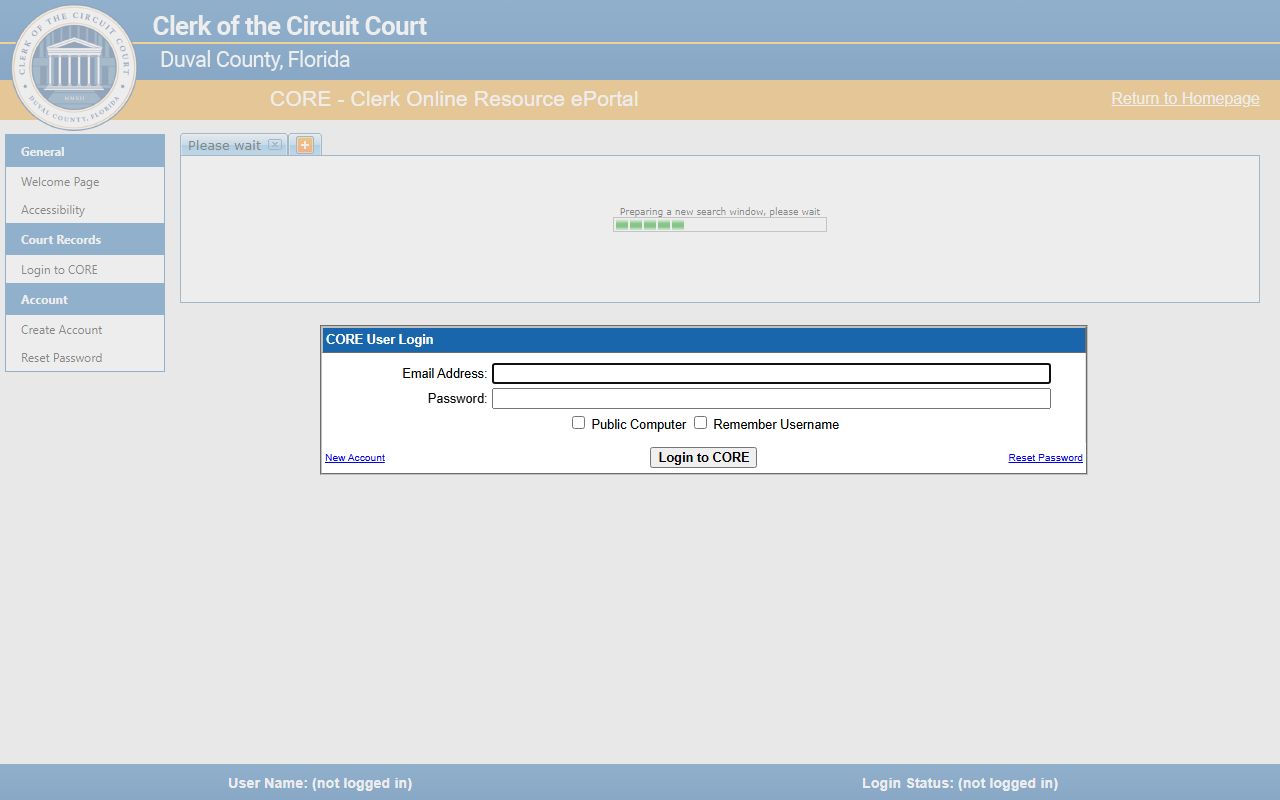
Note: Public access does not let you request review of new documents. Register a free CORE account to unlock that step.
CORE Public Access and Registered User Access
Duval CORE has four access roles. Each role sees a different slice of the record. The split follows the Florida Supreme Court security matrix in the Standards for Access to Electronic Court Records.
- General public. Free, no account. View non-confidential records in non-confidential case types. No request feature for unpublished documents.
- Registered user. Free account, signed registration agreement. Can ask the Clerk to review and publish documents not yet posted. May see non-confidential family-rule and probate-rule material under the matrix.
- Party to a case. Sees the case party data and certain documents tied to the party role.
- Attorney of record. Sees the full case file when the attorney name appears in the Attorney section of the case record. The Clerk FAQ notes most attorney access issues come from not being listed in that section.
The registration agreement records name, contact info, role, business entity if any, and Florida Bar number for lawyers. The Clerk provides a login ID and PIN after review. Help line for CORE access is (904) 255-2389 or CORE@DuvalClerk.com.
Types of Duval County Court Records
The Duval Clerk holds court files for every case type that comes through the Fourth Judicial Circuit and the Duval County Court. The biggest categories are below. Each category has its own access rules and case-number format.
- Circuit civil. Higher-value civil suits, foreclosures, complex civil, injunctions, declaratory actions, malpractice, and business disputes.
- County civil and small claims. Lower-dollar civil claims, evictions, replevin, and county-civil cases below the jurisdictional cap.
- Felony and misdemeanor. Felonies in Circuit Court and misdemeanors in County Court. See the criminal records page.
- Family and domestic. Divorce, paternity, child support, custody, name change, and injunctions. See marriage and divorce records.
- Probate and guardianship. Estates, wills filed after death, guardianships, trusts. See probate records.
- Traffic. Civil traffic citations, moving and non-moving violations. See traffic court records.
- Juvenile and mental health. Restricted under Florida statute; not in the ordinary CORE public view.
Official records like deeds and mortgages are separate from court files. They are searched through the Official Records Search portal.
Duval County Court Records Search Fields
CORE's interface is built around a few core fields. The login layer is fixed; case search controls load inside the shell.
| Field Label | Type | Required | Notes |
|---|---|---|---|
| Email Address | Text | For sign-in | Used for free CORE account. |
| Password | Password | For sign-in | Reset link available on the login dialog. |
| Public Computer | Checkbox | Optional | Limits cookie behavior on shared machines. |
| Captcha Challenge | Image/Audio | When shown | Required by Florida Court Technology Commission directive. |
| Case Number | Text | Optional | Most precise search; format includes year and division code. |
| Party Name | Text | Optional | Last name plus first; narrow by case type. |
| Case Type / Division | Filter | Optional | Choose criminal, civil, family, probate, traffic, or juvenile. |
| Date Range | Filter | Optional | Filing year or filing date range to trim results. |
| Document Request | Modal Button | Conditional | OK submits a Clerk review request; Cancel aborts. |
CORE shows page-size notices when a request involves a long PDF. Under 50 pages publishes quickly. Over 50 pages may need extra Clerk review. Over 500 pages may need extensive services.
What a Duval County Court Record Contains
A CORE case detail page shows the parties, division, judge, and chronological docket. The standard fields are listed below. Field availability shifts a little by case type; family and probate cases hide more by default.
| Field | What It Shows |
|---|---|
| Case Number | Year, court level, division code, and sequence. |
| Filing Date | Date the case opened with the Clerk. |
| Court and Division | Circuit or county, plus the division code such as CV, PR, FM. |
| Judge | Assigned judge name when set. |
| Parties | Plaintiff, defendant, petitioner, respondent, or state and defendant. |
| Attorneys | Name, Florida Bar number, and side represented. |
| Docket Entries | Filings, motions, orders, notices, hearings in date order. |
| Documents | Linked PDFs when published; request link when not. |
| Hearings | Date, time, courtroom, and judge. |
| Status | Open, pending, disposed, closed, reopened, sealed, transferred. |
| Financial | Fees, costs, restitution, payment plan, bond, registry deposit. |
| Redactions | SSN, bank or card numbers, victim and minor data masked. |
Note: Charge details on a criminal docket are accusations until the court records a disposition.
Public Access Laws for Duval Court Records
Florida runs on one of the broadest public-records statutes in the country. Chapter 119 sets the open-records rule. Court files have a parallel rule under Florida Rule 2.420. The Duval Clerk operates under both.
Statute callout:
Fla. Stat. § 119.01 : State policy that public records are open for inspection and copying.
Fla. Stat. § 119.07 : Inspection, copying, fees, and reasonable conditions.
Fla. Stat. § 119.0714 : Court files, court records, and official records; supports SSN, bank, and card-number redaction.
Fla. Stat. § 28.24 : Clerk charges for copies, certifications, searches, and recording.
The Clerk's Public Records Department handles complex requests, including media inquiries. Email is preferred at Public.Info@duvalclerk.com. Mail goes to 501 W. Adams St., Suite 2403, Jacksonville, FL 32202, Attn: Public Information Officer.
Sealed, Confidential, and Restricted Court Records
Some Duval court records are not in the public view. Florida statute and Rule 2.420 carve out several classes. Juvenile delinquency and dependency files are restricted under § 985.04. Adoption files are confidential under § 63.162. Mental-health clinical records sit under § 394.4615. Sealing and expunction follow § 943.059 and § 943.0585.
The Clerk also redacts personal identifiers like Social Security numbers, bank account numbers, and credit or debit card numbers. Protected-group home addresses can be redacted on request. The Request for Redaction form covers personal information in official records. The Internet Document Removal form lets owners take eligible images off internet display while the records stay on file in the office.
Sealed and expunged cases are not in the public CORE view. The Clerk fee schedule lists $59 for sealing a court file or processing an expungement order. Eligibility runs through the Florida Department of Law Enforcement before the order is filed.
Certified Copies and Older Duval Court Files
The Clerk's Official Records and Research Department in Room 1253 handles certified copies and older paper files. The desk phone is (904) 255-2025. eCertified court records are ordered through CORE. The email link works for 30 days, and the document carries a digital seal that can be checked by link or QR code.
Older Duval court records sometimes predate the online system. For these, the Clerk asks for the case number, party names, and dates of birth or filing dates. Mail requests should include a self-addressed stamped envelope for paper returns. Official records before 1988 need staff help; in-person research is the most reliable path.
| Item | Amount |
|---|---|
| Certified copy per instrument | $2.00 |
| Plain copy per page (standard size) | $1.00 |
| Plain copy per page (oversized) | $5.00 |
| Records search per year | $2.00 |
| Online eCertified record (Triedata processing fee) | $6.00 |
| Card-service surcharge in person | 3.5% |
| Card-service surcharge online (public records) | 2.75% |
Quick Questions on Duval County Court Records
Is CORE the official Duval court record system?
Yes. CORE is the Duval Clerk's official Clerk Online Resource ePortal. The Clerk page says CORE displays all information officially filed in the Duval court system. The statewide ePortal is a filing system; the Clerk directs case-lookup users to CORE.
Why can I see the docket but not the document?
A docket entry may be public while the linked PDF needs Clerk review or sits in a restricted case type. CORE shows a request dialog for an unpublished document. Submit the request as a registered user and the Clerk reviews the file for redaction before publishing it. See the court dockets page for more on docket entries.
Can I get a certified court record by email?
Yes. CORE's eCertify option emails a digital certified copy with a link valid for 30 days. The cost is the $2 statutory certification fee plus a $6 Triedata processing fee and a 3.5% card-service charge. For paper certified copies, request them at Room 1253 in the Duval County Courthouse or by mail through the public records process.